
KEEP YOUR WORD
Don't just setgoals. Keep them.
Make a commitment. Involve someone you trust. Stay accountable.
How DisciplineMate works
Commit
Set what you want to do.
Involve
Choose someone you trust.
Stay on track
They'll know if you don't.
HOW IT WORKS
One commitment, start to finish.
Follow Toni’s Saturday run, from the moment Sam agrees to help to the moment Sam checks in.
Step 1: Sam says yes
Ask someone you trust.
Sam gets a text with a link that explains what being a partner means. They must accept before it’s active, and they don’t need the app.
Sam’s phone shows a text from DisciplineMate with an invitation link. The invitation page opens and Sam taps Accept invitation.
Step 2: Create
Make it specific.
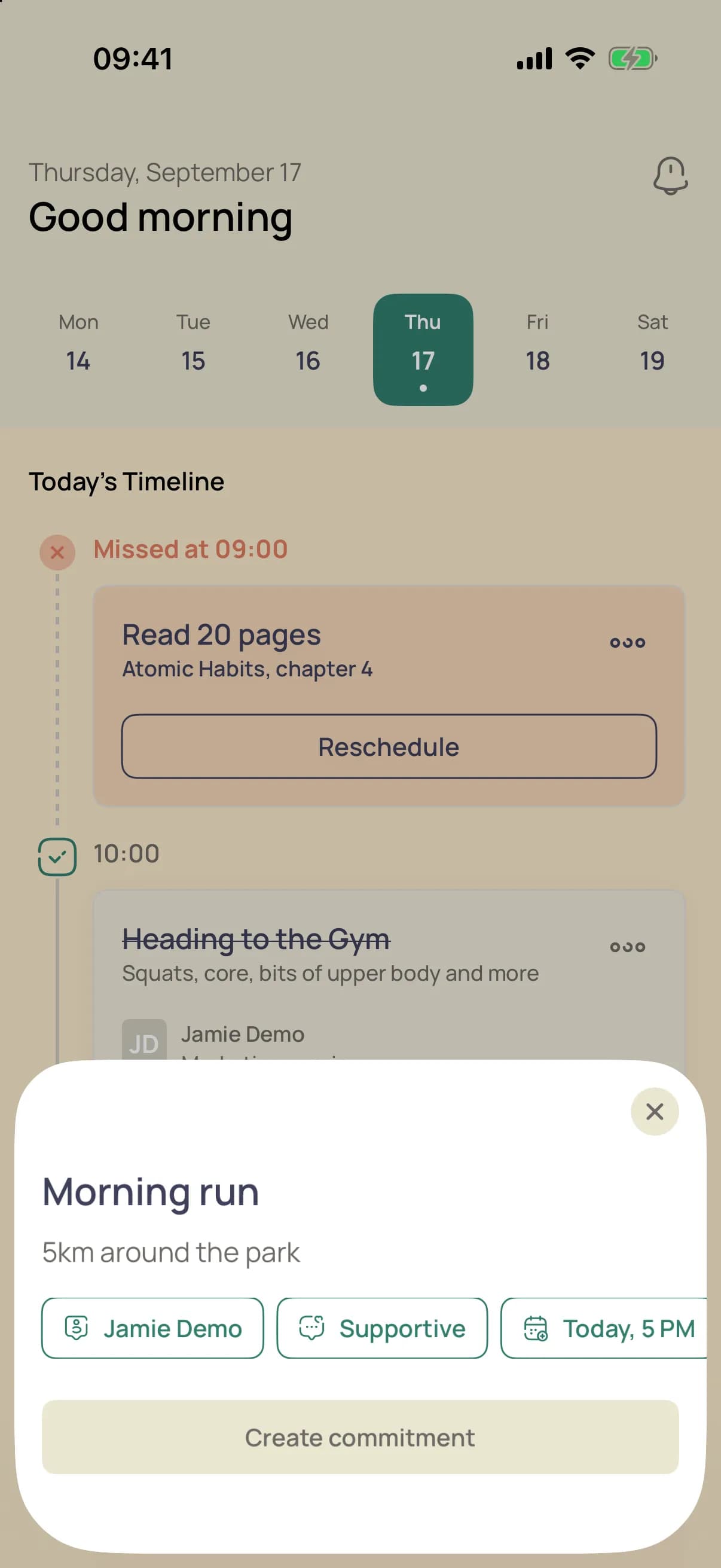
Say what you’ll do, then pick the message, your partner and a due date. Create lights up once everything is set.
Toni’s phone shows the add commitment sheet. Toni types Run 5 km and sets the Supportive message, Sam as partner and tomorrow at 7:00 AM.
Step 3: Choose the message
You decide what Sam hears.
Pick a tone before anything is sent. Each option previews the words Sam would get, with your name and the commitment filled in.
The accountability message screen. Toni switches from Simple to Supportive and taps Continue.
Step 4: Missed
Life happens.
When 7:00 AM passes, the run is marked missed on your timeline. You can reschedule it straight from the card.
Toni’s timeline at 7:00 AM. The Run 5 km card changes from due soon to Missed at 7:00 AM, with a Reschedule button.
Step 5: Sam is told
Support, not shame.
Sam gets a text with the exact message you picked. Nothing more, and no app to install.
Sam receives a text from DisciplineMate with the Supportive message about the missed run.
REAL ACCOUNTABILITY
You're stronger together.
DisciplineMate helps you follow through by involving people who support you.
- Build better habits
- Stay consistent
- Achieve what matters
Questions
What is an accountability partner?
Someone you trust — a friend, partner, or mentor — who agrees to be notified if you miss a commitment. They're there to support you, not judge you.
Does my partner need the app?
No. Your partner receives a notification via a link. They don't need to install anything to accept your invitation or be notified.
What happens if I miss a commitment?
Your accepted accountability partner may receive a supportive notification. You can preview or customize the message before it's sent.
Is DisciplineMate free?
DisciplineMate is currently in early access. Check the App Store listing for the latest pricing information.
Is it available on Android?
DisciplineMate is currently available for iPhone. Android support is on the roadmap.